Follow topics
Following a topic adds it to Your topics. The topics you follow come first on the front page, appear on the Topics page, and are offered on News results so you can run any search inside them in one click.
#Follow a topic
-
Find the topic: on its page, on a card in the Topics directory or the finder, among a topic's subtopics, or in a group heading on the front page.
-
Select Follow on the topic's page, or the star on a card or group heading.
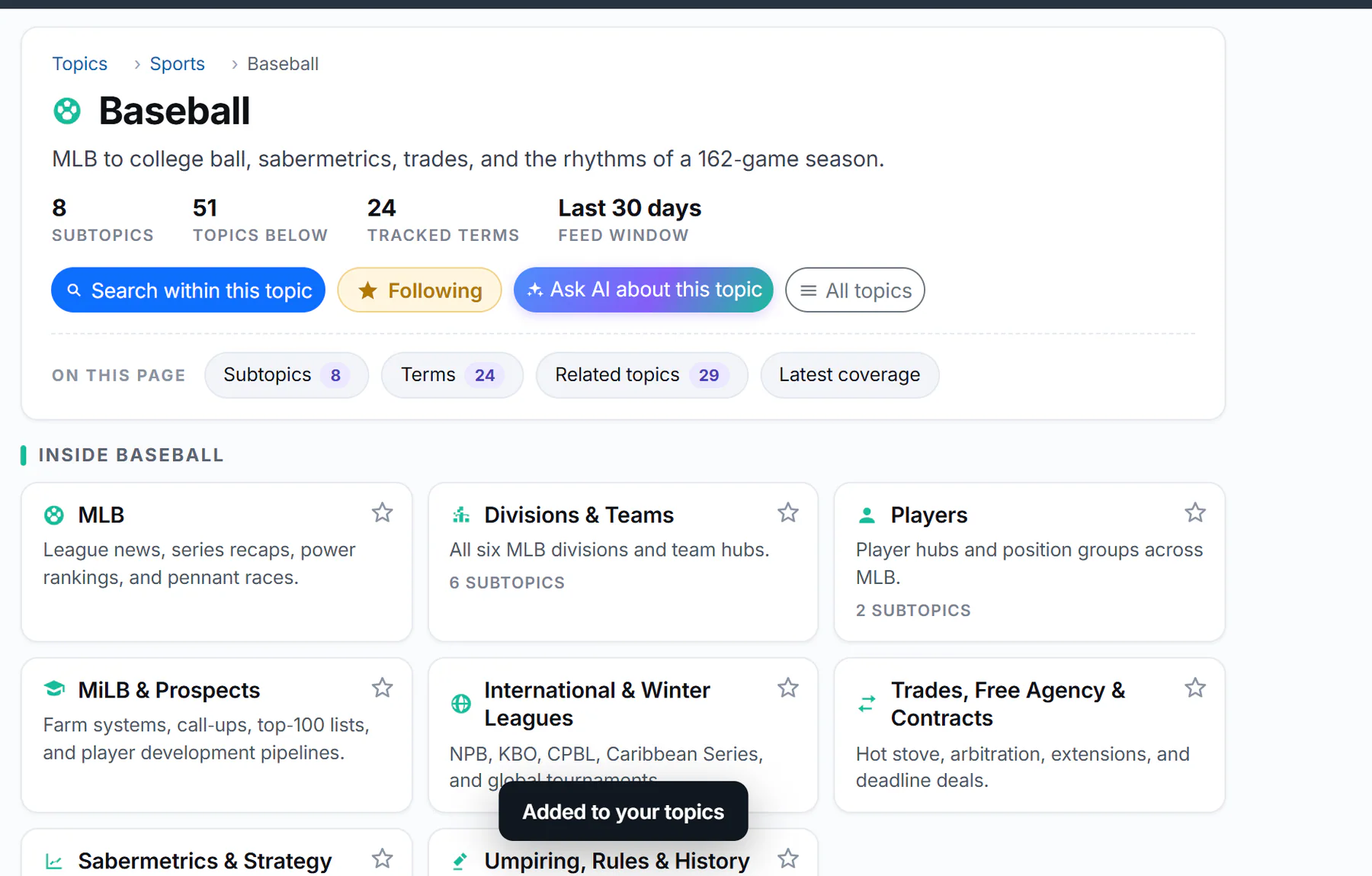
After Follow: the button reads Following, and a note confirms it.
- 1The button now says Following
- 2A note confirms it
-
The button reads Following and the star fills in. A note says Added to your topics.
The first time, the site asks to keep your list in this browser:
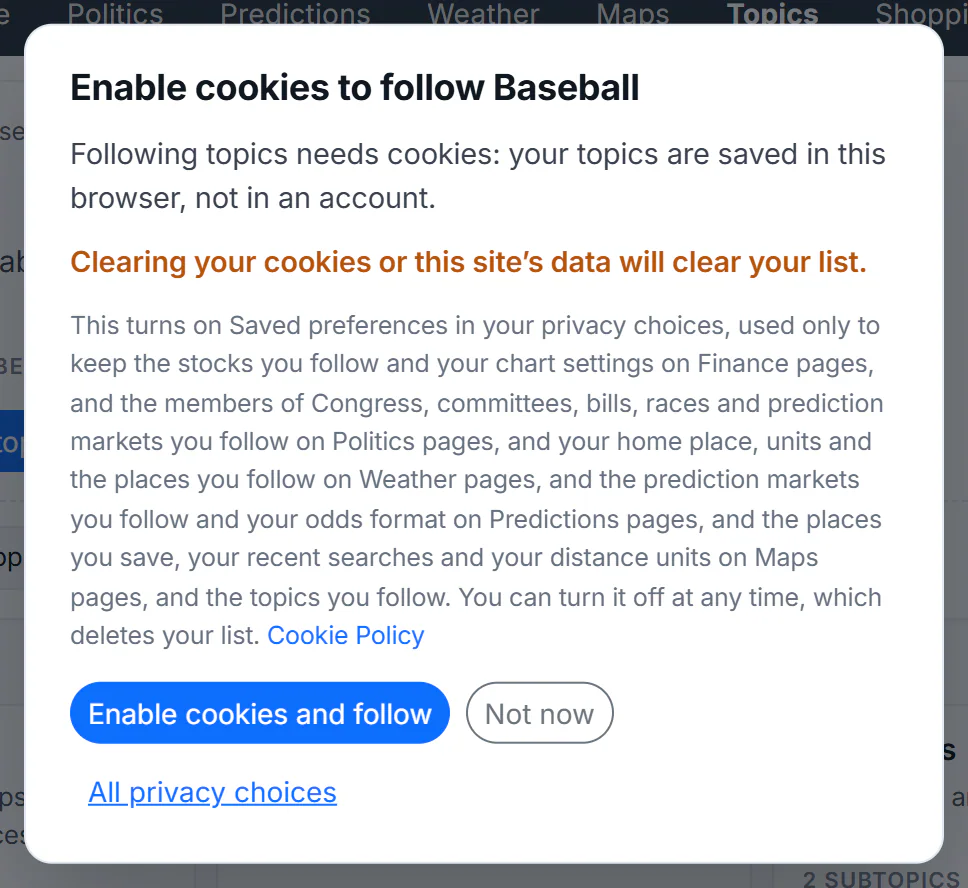
Following needs the Saved preferences choice, which keeps your list in this browser.
- 1Following needs Saved preferences
- 2Clearing cookies clears your list
- 3Turn it on and follow
- 4Not now
- 5See all your privacy choices
Select Enable cookies and follow to turn on Saved preferences and follow the topic. Not now saves nothing; All privacy choices opens the full privacy window. See Saved preferences.
#Where your topics appear
-
On the front page, in a Your topics section above the site's groups, with today's stories for each topic you follow. See The front page by topic.
-
On the Topics page, under Your topics, as cards.
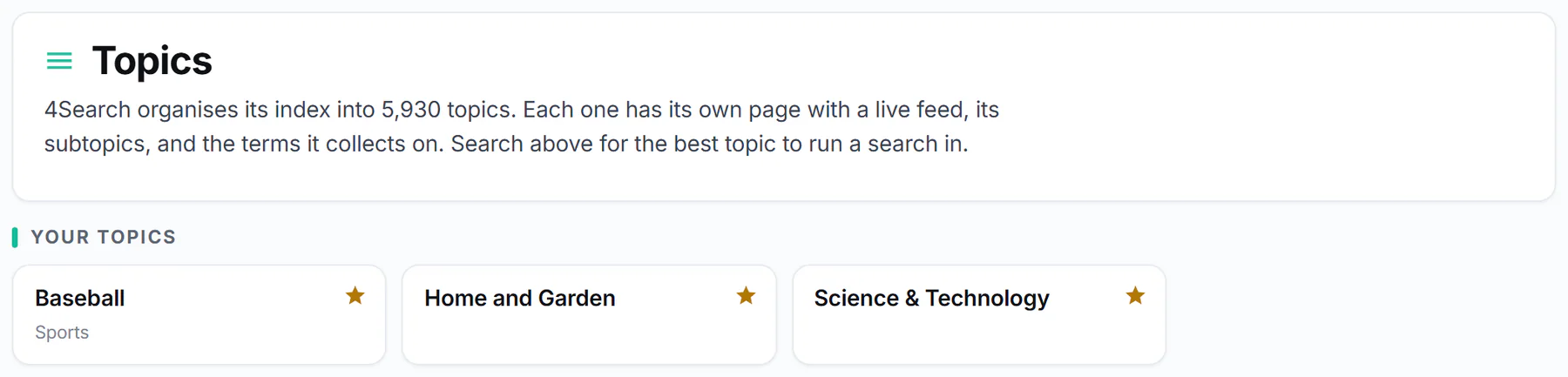
Your topics on the Topics page. Select a filled star to stop following.
- 1Your topics
- 2A topic you follow: select it to open its page
- 3The filled star: select it to stop following
-
On News results, in the Your topics row of the Search within a topic box: select one to run your search inside it.
-
In the topic finder, under Search in your topics, when you search for topics.
#Stop following
Select Following on the topic's page, or the filled star on any of its cards. A note says Removed from your topics.
#Common questions
How many topics can I follow?
Up to 50 on each site. The front page shows groups for the first eight.
Will my topics follow me to my phone or another site?
No. The list lives in the browser where you made it, and each site of the 4 Network keeps its own.
I followed topics but they are gone. Why?
Clearing cookies or site data, a private window, or turning off Saved preferences removes the list. Follow the topics again once Saved preferences is on.
Which topics come first?
The ones you followed most recently.